Wegic AI

Wegic AI: Create Professional Websites Without Coding

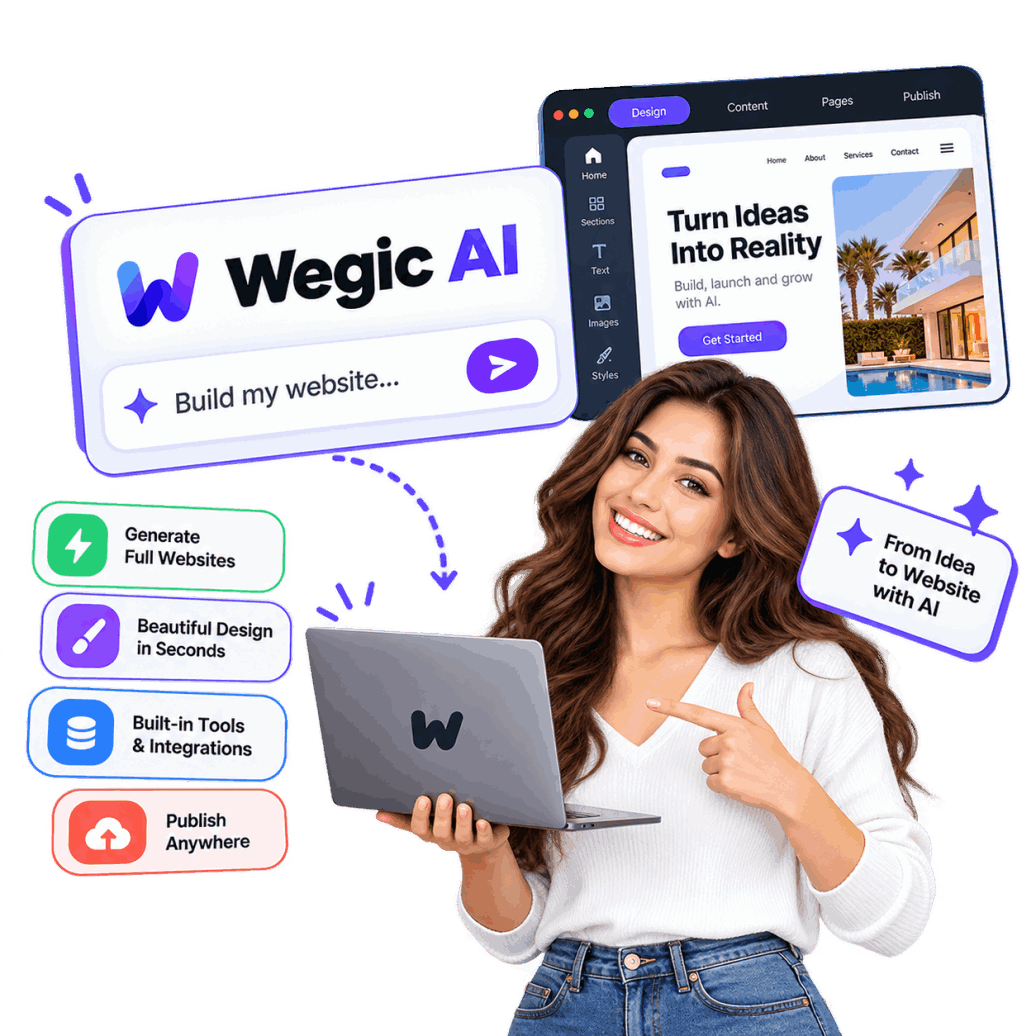
Wegic AI is an AI-powered website builder that lets you create professional websites through simple conversations.

Describe your idea, and Wegic AI can generate pages, layouts, content, and designs for you.

Customize your website with AI, make changes through chat, and launch a polished online presence without coding or advanced technical skills.

Stunning Beyond Agency-Leves

screenshot-01

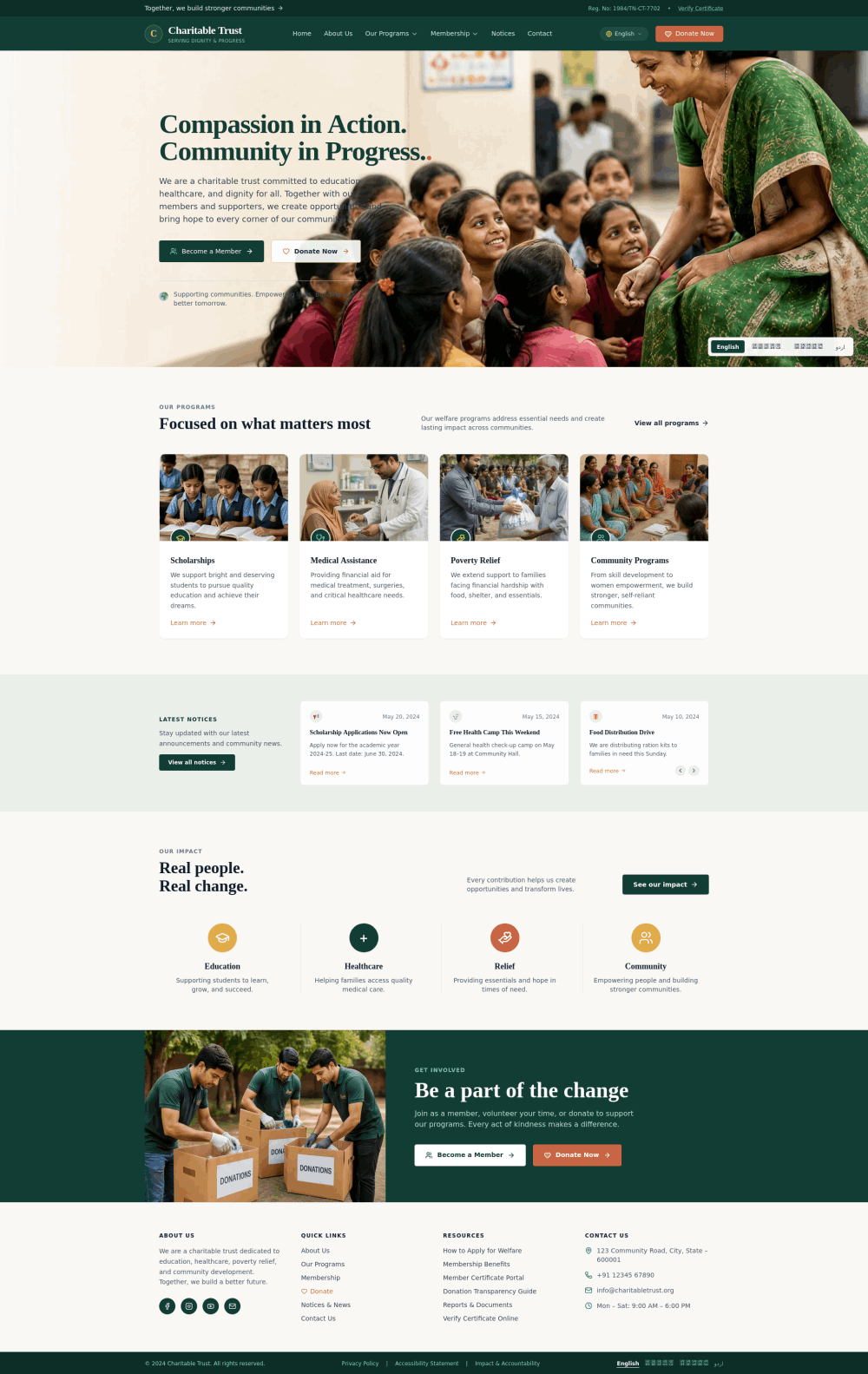
Multilingual Charitable Trust & Transparent Giving Website

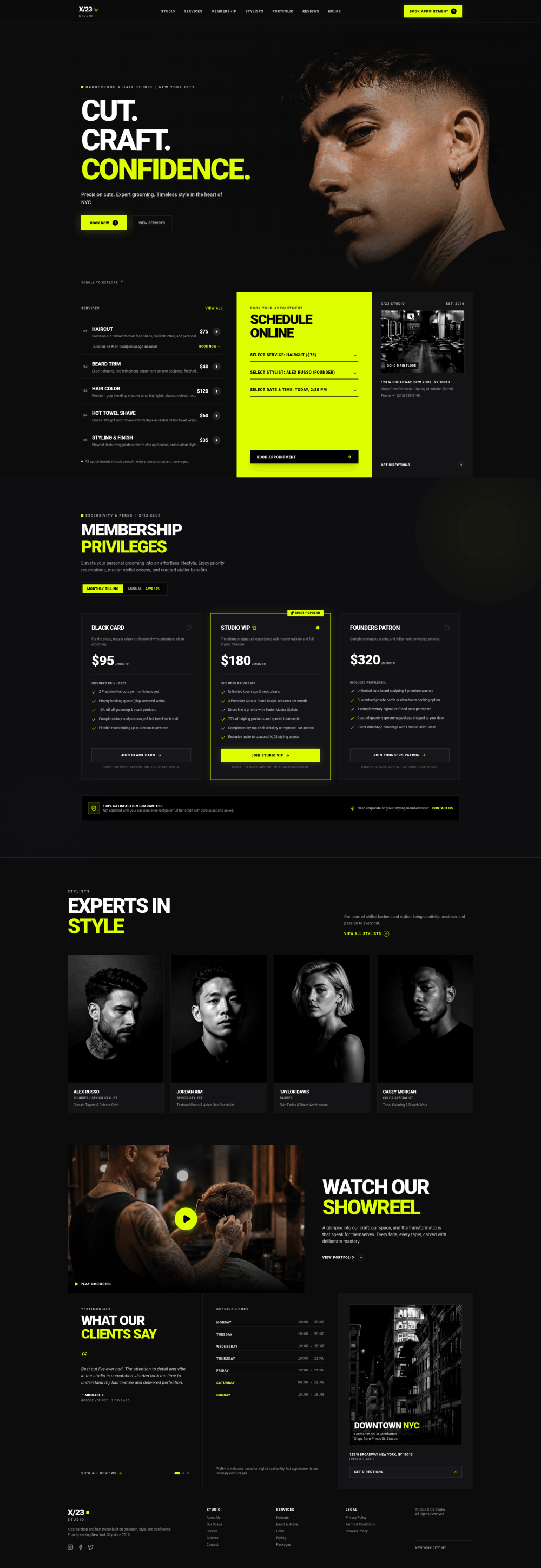
screenshot-02

Neon Modern Barbershop and Grooming Website 

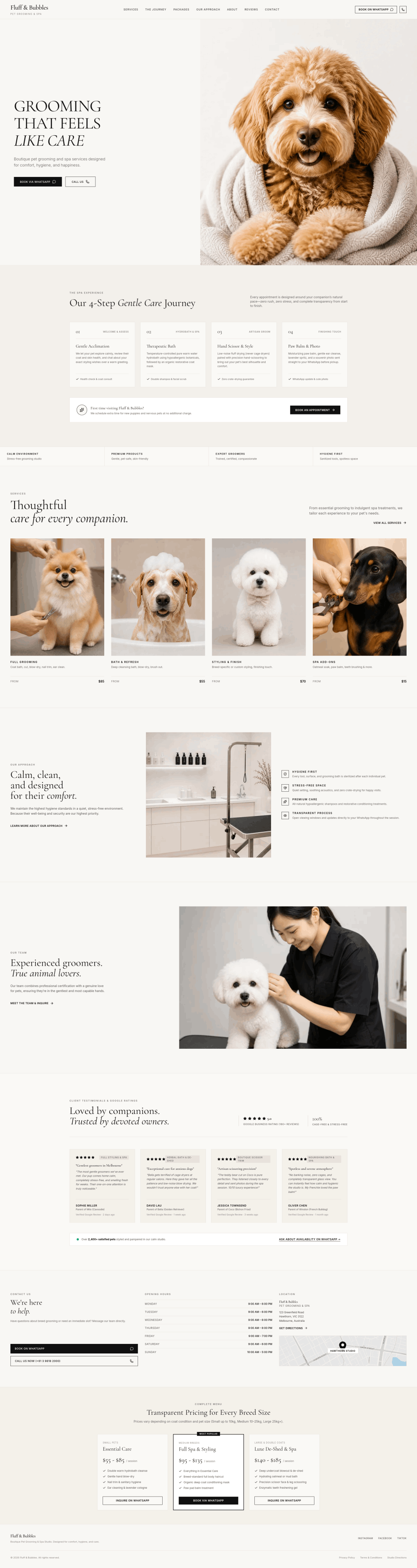
screenshot-03

Warm Ivory Boutique Pet Grooming and Spa Website Template

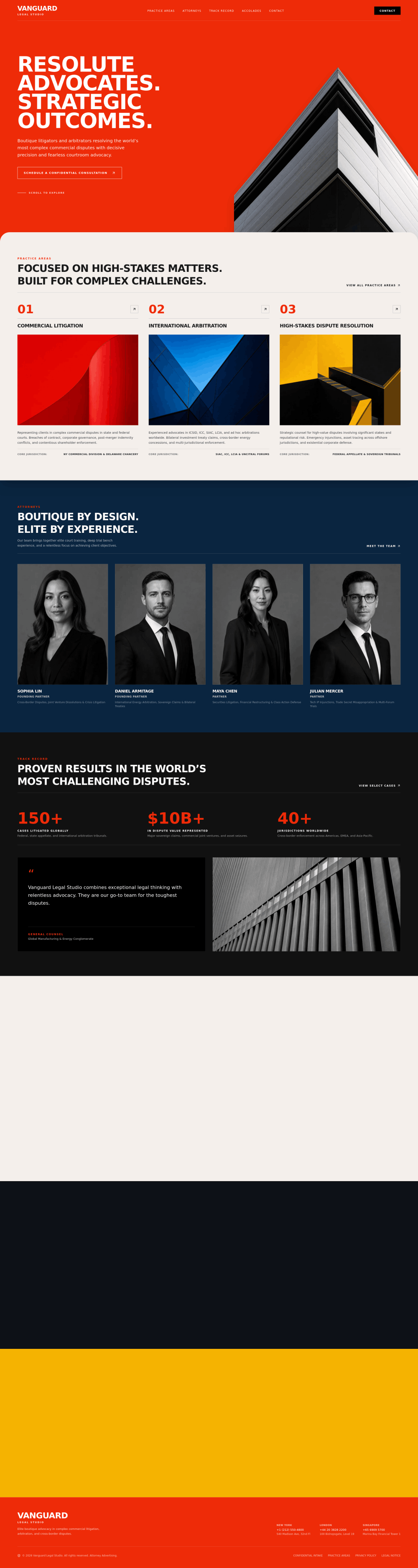
screenshot-04

Red and Black Boutique Litigation Law Firm Website Template

About Wegic AI

About Wegic AI

Wegic AI is an AI-powered website builder designed to make website creation simple, fast, and accessible. Instead of coding or working with complicated design tools, users can describe their website ideas through natural language and let AI help create the site.

Wegic AI can assist with website layouts, pages, content, design elements, and customization. Users can refine their websites through conversations, making changes without needing advanced technical skills.

It can be useful for businesses, freelancers, creators, startups, and anyone who wants to build a professional online presence with less time and effort

Why Choose Wegic AI?

Wegic AI makes website creation easier by allowing users to build and customize websites through natural-language conversations. Instead of spending hours learning complicated website builders, users can explain what they want and use AI to help turn those ideas into a complete online experience.

Build Websites Through Conversation

One of the main reasons to choose Wegic AI is its conversational approach to website creation. You can describe your business, project, portfolio, service, or website idea in everyday language. Wegic AI uses your instructions to generate website layouts, pages, content, and visual elements.

This approach can make website creation more accessible to beginners who may not have experience with coding or professional web design tools.

Create Professional-Looking Designs

A website needs more than basic pages. It should have a clean layout, attractive visuals, readable content, and a consistent design. Wegic AI can help generate these elements based on your instructions and preferred style.

You can explain the look and feel you want, then refine the generated design through additional conversations. This makes it easier to experiment with different layouts and visual ideas without starting from scratch each time.

Make Changes With AI

Another useful feature of Wegic AI is conversational editing. Instead of manually searching through multiple settings, you can describe the change you want and let the AI assist with the modification.

For example, you could ask to change a section's layout, update text, modify colors, add a new section, or adjust elements on a page. This conversational workflow can save time, particularly for users who are unfamiliar with traditional website editing interfaces.

Create Multiple Website Pages

A professional website often needs several pages, such as Home, About, Services, Pricing, Contact, Blog, or Portfolio. Wegic AI can help users create and organize multiple pages as part of their website project.

This makes the platform useful for more than simple one-page landing pages. Businesses, freelancers, agencies, creators, and startups can use an AI-assisted workflow to build a broader online presence.

Useful for Beginners and Businesses

You do not necessarily need advanced technical knowledge to start using Wegic AI. Its conversational workflow is designed to make website creation easier for people who would rather explain their requirements than work directly with code.

Small businesses can use it for company websites, freelancers can create portfolio sites, and creators can build websites around their projects or personal brands.

Speed Up the Website Creation Process

Traditional website development can involve planning, designing, writing content, building pages, testing layouts, and making revisions. Wegic AI brings many of these activities into an AI-assisted workflow.

The ability to generate a starting point quickly means you can spend more time refining your website rather than building every element manually.

Customize Your Website With AI

AI-generated websites are only useful when you can make them fit your specific requirements. Wegic AI allows users to continue communicating with the AI after the initial website is created.

You can provide additional instructions and refine different parts of the website until the design and content better match your goals. This makes the process more interactive than simply selecting a template and filling in predefined fields.

A Practical Option for Modern Website Creation

Overall, Wegic AI combines AI generation, conversational instructions, website design, and editing into one workflow. It can be particularly useful for users who want to create a professional website without dealing with traditional coding and complex design software.

Whether you are creating a business website, landing page, portfolio, personal website, or online project, Wegic AI provides an AI-focused approach that can help turn a basic idea into a functional website more efficiently.

Build Around Real Business Goal

Promote Your Brand

Build a professional online presence, showcase your products, reach more customers, and grow your brand with a website created using Wegic AI.

Sell Product or Service

Create an engaging website to showcase your products or services, attract customers, accept inquiries, and grow your online sales.

Build Something Unique

Create a unique website that reflects your vision, combines creative design with AI, and gives your brand a memorable online presence.

All Paid Plans include

Save 40% per user annually on the annual plan
Trial pack
$2.99/trial

Most generate end up costing over $10 in credits

  • Free 100 credits only when signup.
  • Try website forms to collect customer inquiries
  • Create professional brand visuals
  • Help your website get discovered online
  • Deliver a great experience on every device
Starter
$23.90/month

600 credits/mo
estimated $0.04 per credit

  • Everything from Trial Pack, plus:
  • Keep your website live with a free Wegic domain
  • Collect and store customer leads and inquiries
  • Export your website for more flexibility
  • Showcase products and collect customer inquiries
  • Build a more professional brand presence
  • Get faster support when you need it
  • Unlock discounted credit purchases
  • Understand your visitors and improve your website
Premium
$41.90/month

2000 credits/mo
estimated $0.02 per credit

  • Everything from Starter, plus:
  • Build trust with your own professional domain
  • Store more customer information as your business grows
  • Save up to 70% on additional credits
  • Improve your website visibility over time

How Does Wegic AI Work?

Wegic AI uses a conversational approach to simplify website creation. Instead of manually designing every section or writing code, you can describe the website you want and interact with the AI to build and refine it. The process is designed to take you from an initial idea to a functional website through a series of simple instructions.

1. Start With Your Website Idea

The process begins with an idea. You can explain what type of website you want to create, who it is for, and what you want it to accomplish. For example, you might ask Wegic AI to create a website for a small business, portfolio, online service, startup, or landing page.

The more useful information you provide, such as your business type, target audience, preferred style, and required sections, the easier it becomes to create a website that matches your needs.

2. Describe What You Want

Instead of working through complicated menus, Wegic AI lets you communicate your requirements using natural language. You can describe the pages, sections, colors, layouts, content, and overall appearance you want.

For example, you could request a modern homepage with a hero section, service cards, customer testimonials, an about section, and a contact form. The AI can use these instructions as the starting point for your website.

3. AI Generates the Website

Once you provide your instructions, Wegic AI can generate a website based on your requirements. This may include the overall layout, page structure, written content, visual elements, navigation, buttons, and other website components.

Rather than starting with an empty editor, you receive an initial website that you can review and customize.

4. Review the Generated Design

After the website is created, you can examine the pages and decide what works and what needs to change. You might want a different layout, additional sections, new text, different colors, or a completely different visual style.

This review stage is important because AI-generated designs may still need adjustments to match your brand and specific goals.

5. Make Changes Through Conversation

One of the key ideas behind Wegic AI is conversational editing. Instead of manually rebuilding a section, you can describe the changes you want.

For example, you could ask the AI to make the homepage more modern, change the color scheme, add a pricing section, rewrite a headline, or create another page. The AI can then assist with implementing those instructions.

6. Add and Customize Pages

A website can include multiple pages depending on your requirements. You can create pages such as Home, About, Services, Pricing, Portfolio, Blog, and Contact.

You can also continue giving instructions to adjust individual sections and make the website more aligned with your brand identity.

7. Refine Content and Design

Creating the first version is only part of the process. Wegic AI can be used to refine website content and presentation. You can adjust headings, descriptions, buttons, images, layouts, and other elements as your website develops.

This iterative approach allows you to move from a basic concept toward a more polished website without having to rebuild everything manually.

8. Prepare Your Website for Launch

Once your website looks and works the way you want, you can prepare it for publishing. Depending on the available Wegic AI features and plan, this can include hosting and connecting a custom domain.

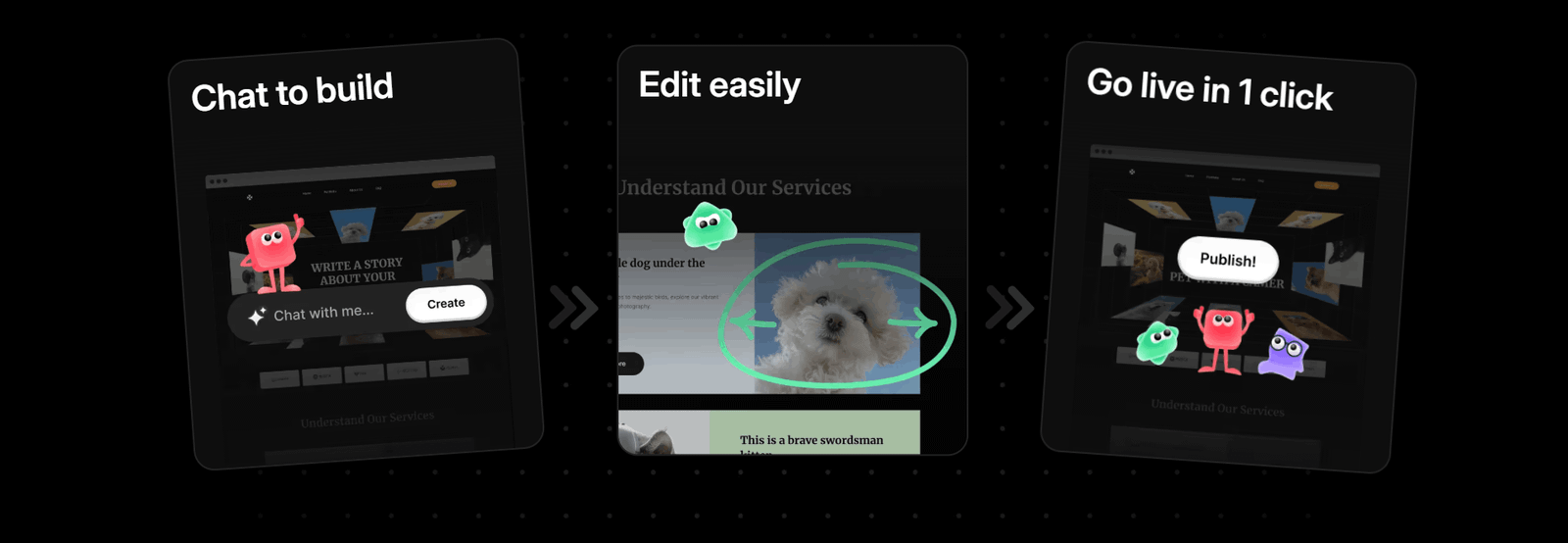
The overall workflow can therefore be summarized simply: describe your idea, generate the website, review it, make changes through AI, customize the pages, and publish your finished website.
Wegic Ai Guide Every Step, You Always Know What To Do Next

Wegic

Wegic vs No-Code Tools: What’s the Difference?

Wegic AI and traditional no-code website builders both aim to make website creation easier without requiring users to write code. However, the main difference is how you interact with the platform. Traditional no-code tools generally provide visual editors, templates, menus, and drag-and-drop controls, while Wegic AI focuses more heavily on conversational website creation and AI-assisted editing.

How Traditional No-Code Tools Work

No-code website builders usually give you a visual workspace where you can select a template and customize different parts of the website. You can add sections, move elements, change colors, edit text, upload images, and configure settings without touching the underlying code.
This approach gives users direct control over the website. However, beginners may still need to spend time learning where different tools and settings are located.

With a traditional no-code builder, creating a page can involve selecting the correct element, placing it in the right position, adjusting spacing, changing typography, and repeating the process across different sections.

How Wegic AI Works Differently

Wegic AI uses conversation as an important part of the website-building process. Instead of manually making every change through a visual interface, you can describe what you want in natural language.

For example, rather than manually creating a new section, you could ask Wegic AI to add a services section with several service cards. You can also ask the AI to modify existing content, change a design direction, or adjust the structure of a page.
This makes the interaction more instruction-based than control-based.

AI Generation vs Manual Customization

Another major difference is the role of AI. Traditional no-code platforms may include AI features, but their core workflow often remains based on templates and visual editing.

Wegic AI places AI at the center of the creation process. The platform can help generate a website from an initial description and then continue assisting as you make changes.
This can reduce the amount of manual work involved in getting a first version of a website ready.

Which Approach Gives You More Control?

The answer depends on how you prefer to work.
No-code builders can be useful for people who like visual control and want to manually adjust individual elements. You can see the available settings and make changes directly within the editor.

Wegic AI may appeal more to users who prefer explaining what they want and allowing AI to handle parts of the implementation. You can still provide detailed instructions, but the interaction is more conversational.

Wegic AI Is More AI-First

The clearest distinction is the overall philosophy. Traditional no-code tools generally remove the need for programming by replacing code with visual controls. Wegic AI takes another approach by using AI to translate natural-language instructions into website designs and changes.
Instead of asking, “Which button do I need to click?” you can often approach the task by asking, “Can you change this section to look more modern?”

Which One Should You Choose?

Wegic AI can be suitable for users who want an AI-first website-building experience and prefer working through conversations. Traditional no-code tools can be suitable for users who want hands-on visual control over individual website elements.

Both approaches can help people create websites without traditional coding. The key difference is the workflow: no-code tools primarily replace coding with visual controls, while Wegic AI adds conversational AI as a central part of website creation, customization, and refinement.

What Wegicians Feels

annie
Annie

Wegic AI made website creation surprisingly simple. I described my idea, and the AI quickly produced a professional-looking starting design.

hasantoxr
Hasantoxr

I liked the conversational approach. Wegic AI helped me make changes without spending hours searching through complicated website builder settings.

LeeJohnson
Lee Johnson

Wegic AI is useful for beginners who want a modern website without learning coding. The AI-assisted workflow saves considerable time.

LeonardoAceroGuerra
Leonardo Acero Guerra

Creating multiple website sections was straightforward. I could describe what I needed and continue refining the design through simple instructions.

luke
Luke

The biggest advantage for me was speed. Wegic AI helped turn a basic website concept into a polished design much faster.

martin
Martin

Wegic AI offers an interesting alternative to traditional no-code builders, especially for users who prefer creating websites through natural language.

Frequently Asked Questions

Wegic AI is an AI-powered website builder that helps users create websites through natural-language conversations. You can describe your website idea, preferred design, pages, content, and features, and the AI can help turn those instructions into a website. It is designed for beginners, businesses, creators, freelancers, and other users without coding experience.

No, Wegic AI is designed to make website creation accessible without requiring traditional coding knowledge. Users can describe what they want using everyday language and use AI to generate and modify website elements. While technical knowledge can be helpful for advanced customization, beginners can use the conversational workflow to create and refine a website.

Wegic AI can be used to create different types of websites, including business websites, portfolios, landing pages, personal websites, startup websites, and online projects. The type of website you create depends on your requirements and instructions. You can describe your goals, desired pages, content, and visual style to guide the AI.

Yes, you can continue refining your website after the initial version is generated. Wegic AI uses conversational instructions to help users make changes to layouts, content, sections, colors, and other website elements. Instead of rebuilding a page from scratch, you can describe the changes you want and continue improving the website through AI-assisted editing.

Wegic AI can be a useful option for beginners because its website-building process relies heavily on natural-language instructions rather than traditional coding. Users can explain their requirements and let the AI generate a starting point. Beginners can then review the website and request additional changes as they become more comfortable with the platform.

Yes, Wegic AI can be used to create a business website with pages and sections suited to your company or service. You can describe your business, target audience, services, brand style, and desired website structure. The AI can then help create and refine the website so you have a professional online presence.

start building

© Copyright 2026 Wegic. All Rights Reserved.